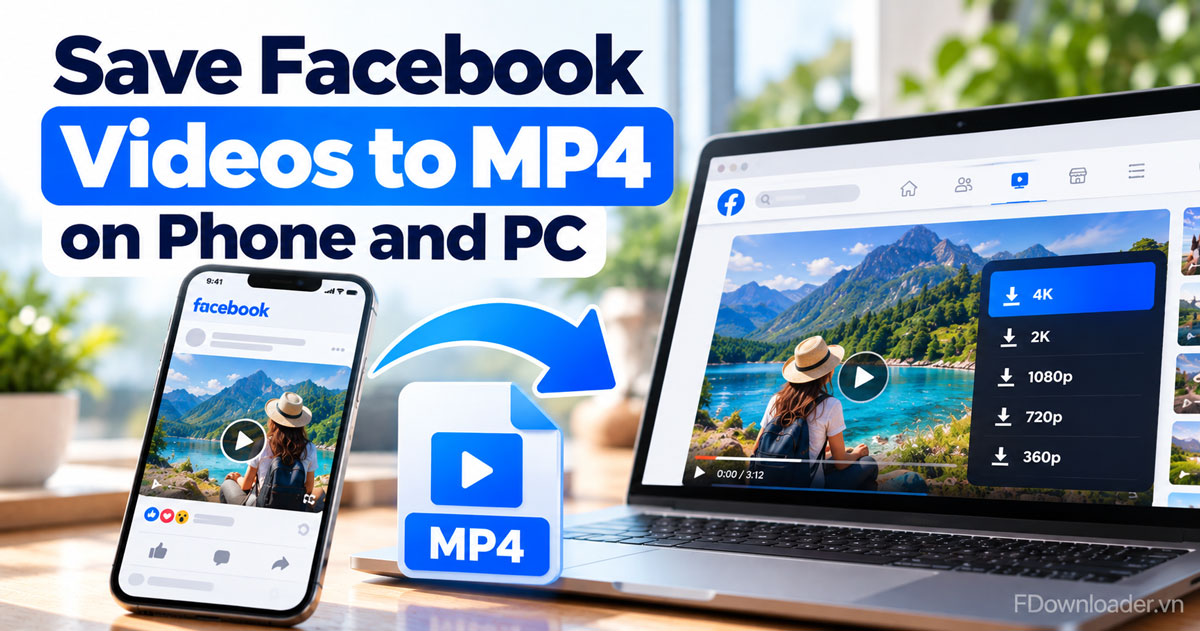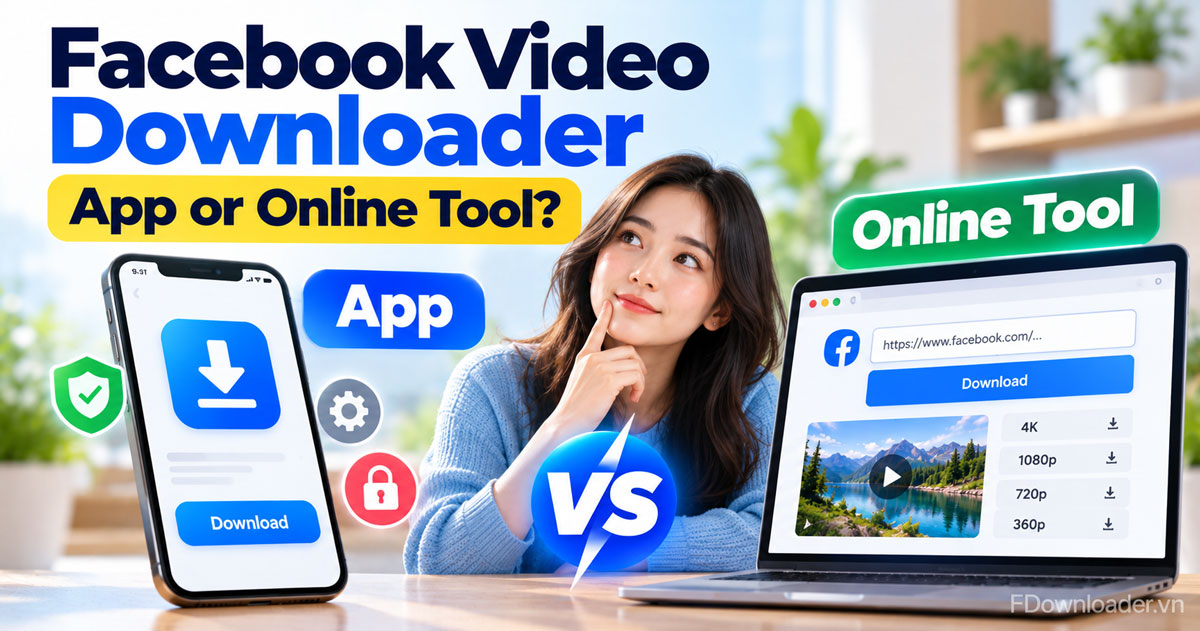
You do not need a Facebook video downloader app to save a video: an online tool in your browser does the same job without installing anything. For most people, the online route is simpler and safer, while a downloader app only pays off if you save many videos every day and trust its source.
Specifically, a downloader app is a third party program you install on Android, Windows or Mac, or add to a browser as an extension. It asks for storage access, sometimes for your Facebook login, and needs updates. In return it may offer extras such as a download queue or an in-app browser.
In contrast, an online tool is a website. With FDownloader.vn you paste the video link, press Download and pick a quality from 360p up to Full HD 1080p, and 2K or 4K when the original upload has them. FDownloader.vn has no app of its own; it works in any mobile or desktop browser, with no login, no download limit and no watermark.
Below, you will see what each option really is, how they compare point by point, which one fits Android, iPhone and PC, and the exact steps to save a video without an app. A last section explains what to watch for if you still consider an APK file.
Do you need an app to download Facebook videos?
No, you do not need an app to download Facebook videos, for three reasons: an online tool saves public videos from their link in any browser, Facebook lets you download reels you posted yourself, and phones already have the browser and file apps the job requires.
To make the choice clearer, here are the two paths side by side before we look at each one in detail.
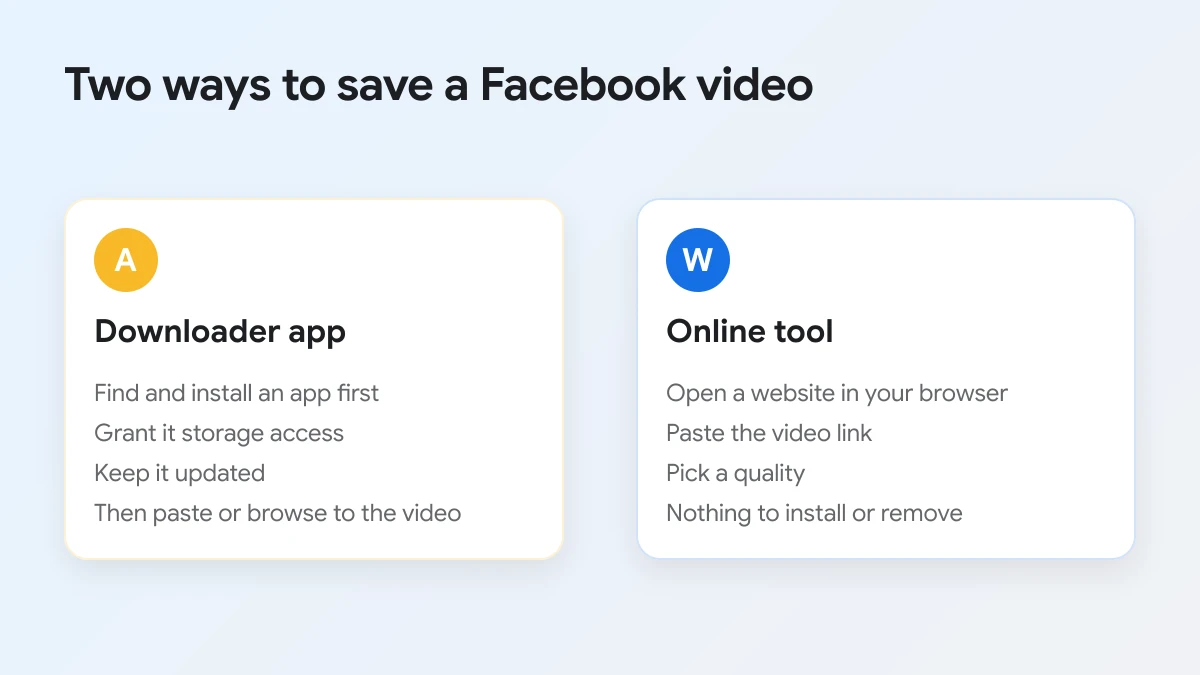
The most important reason is that the link is all a downloader needs. Every public Facebook video, reel or livestream replay has an address, and a website can read that address just as well as an installed program. Once the link is in the box, the server fetches the original video file and lists the qualities it was uploaded in. The work happens on the server side, so your phone does not need special software.
Facebook itself also covers part of the need. Its Help Center explains that you can download reels you created and posted from the mobile app, and that older videos keep whatever download options they had before. If the video is yours, check that option first. For videos posted by other people, there is usually no download button inside Facebook, which is why people look for an app in the first place.
Finally, your device already has the rest of the tool chain. The browser saves the MP4, the Files app or Downloads folder holds it, and the gallery or Photos app plays it. An extra app adds one more thing to install, update and trust, without adding a step you could not do already.
There are still a few cases where an app can make sense, and the comparison below is honest about them. The key question is not "can I do this without an app?", because you can, but "is the extra convenience worth the extra risk and storage for how I use Facebook?"
What is a Facebook video downloader app?
A Facebook video downloader app is third party software, made by an independent developer rather than Meta, that you install on a phone or computer to save Facebook videos as files.
To get a clearer picture, it helps to know that "app" covers three quite different kinds of software.
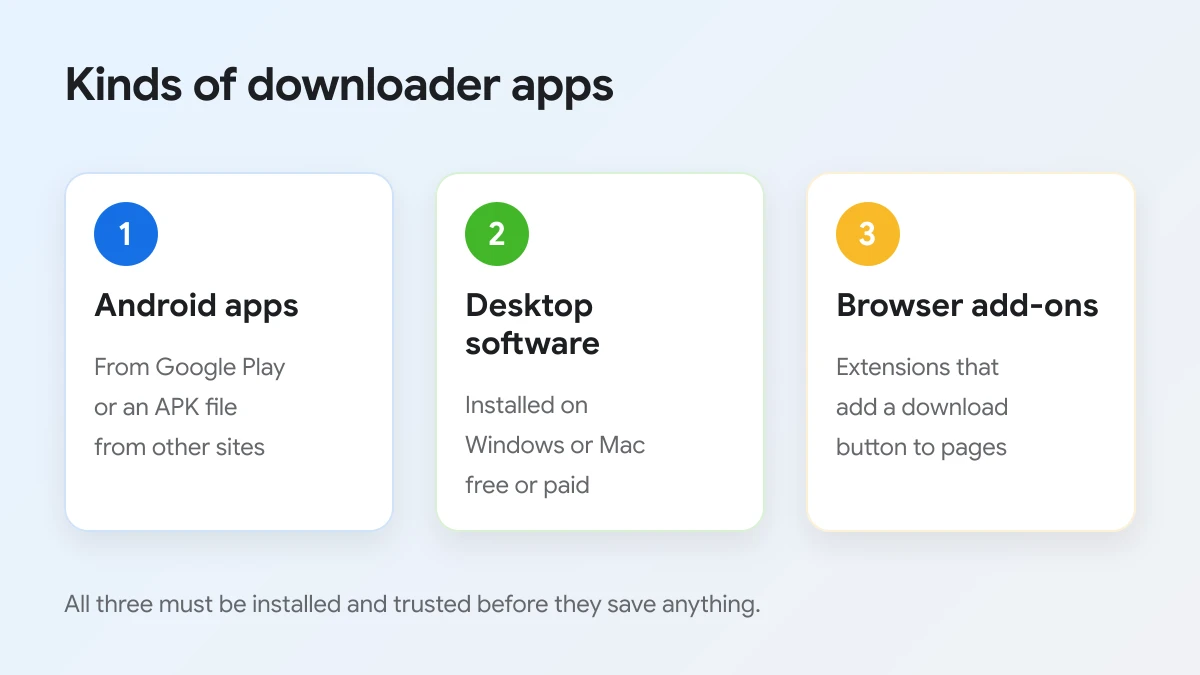
Android downloader apps
These are the most common results when people search for a downloader app. Some are listed in Google Play, and many more are offered as APK files on download sites. A typical one opens Facebook inside its own browser, detects the video you play and shows a download button, or asks you to paste a link. Most are free with ads. Apps in this category also come and go: app directories sometimes list a downloader as removed from Google Play, which leaves its users with an app that no longer gets updates.
Desktop software for Windows and Mac
Desktop programs are installed like any other software and usually handle many sites, not only Facebook. They tend to offer batch downloads, playlists and format options, and many sell a paid licence for the full feature set. They make the most sense for people who archive large amounts of video on a computer.
Browser extensions
Extensions add a download button to Facebook pages in Chrome, Edge or Firefox. They feel convenient, but they need permission to read the pages you visit, and an extension that changes owner or gets a bad update has access to everything you browse. Facebook also changes its page layout often, which can break extensions without warning.
Most of these programs work in one of two ways: a built-in browser that detects the video you play, or a paste box where you drop the link, much like a website would.
What all three share is that you install something and give it access to your device or your browsing. That is the trade-off to keep in mind for the rest of this comparison. Before installing any of them, it is worth reading recent reviews, checking who the developer is, and looking at the permission list on the store page. An app with many complaints about pop up ads, fake download buttons or sudden subscription prompts is a sign to move on.
What is an online Facebook video downloader?
An online Facebook video downloader is a website that saves a Facebook video from its link: you paste the address, the server fetches the original file, and you choose a quality and format to download, with nothing installed on your device.
To see how that looks in practice, here is FDownloader.vn on a phone before anything is pasted.
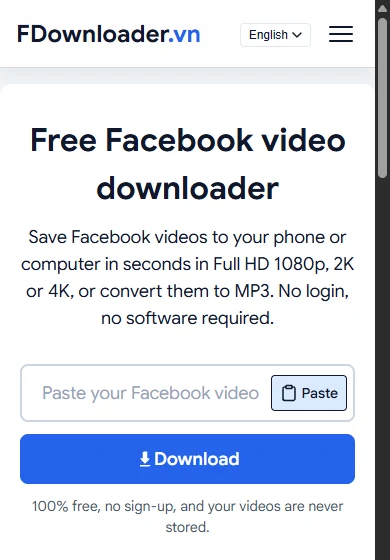
The page is the whole tool. There is a box that reads "Paste your Facebook video link here...", a Paste button inside it that turns into Clear once a link is in, and a Download button. Under the button, a line sums up the rules: "100% free, no sign-up, and your videos are never stored."
The same page works on a computer, where you can paste a link copied straight from the address bar.
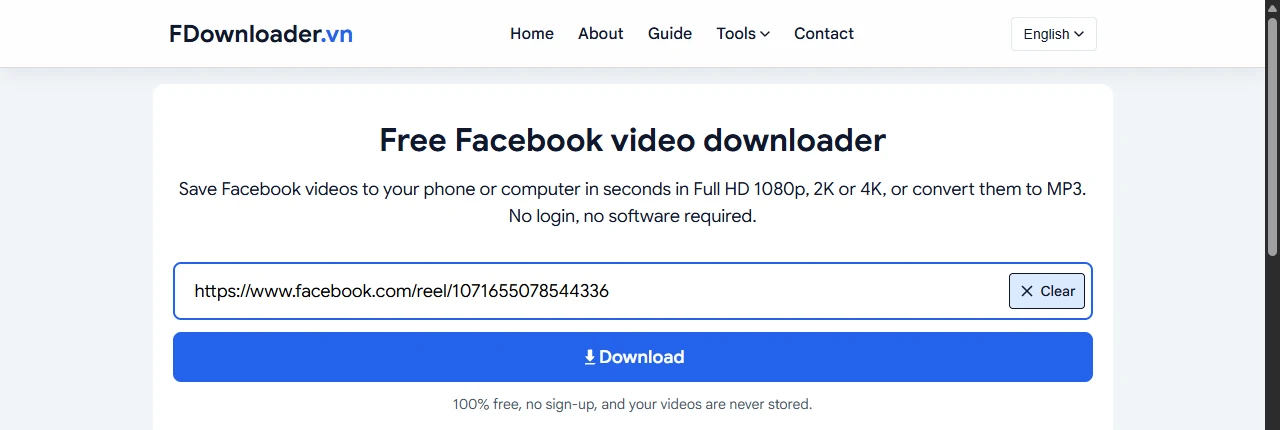
The main features of FDownloader.vn as an online tool are:
- Original qualities. The list shows what the upload has, from 360p up to Full HD 1080p, plus 2K or 4K when the original was posted in those resolutions.
- MP4 or MP3. Every video row saves an MP4; audio rows at 320kbps, 256kbps and 128kbps save an MP3.
- No login and no limits. You never sign in to Facebook on the site, and there is no cap on how many videos you save one by one.
- Nothing kept, nothing added. The server only uses the link you paste to fetch the video file; it does not store your videos and adds no watermark.
It is worth being clear about one thing: FDownloader.vn is a website only. It does not publish an app in any app store, and apps with similar names come from other developers. A dedicated Facebook video downloader page in your browser is the whole product.
How do a downloader app and an online tool compare?
An online tool wins on safety and setup, a downloader app wins on extras such as queues and history, and both tie on quality, because each can only save the resolutions the original Facebook upload has.
To compare them fairly, the table below lines up the points that matter most when you choose between the two.
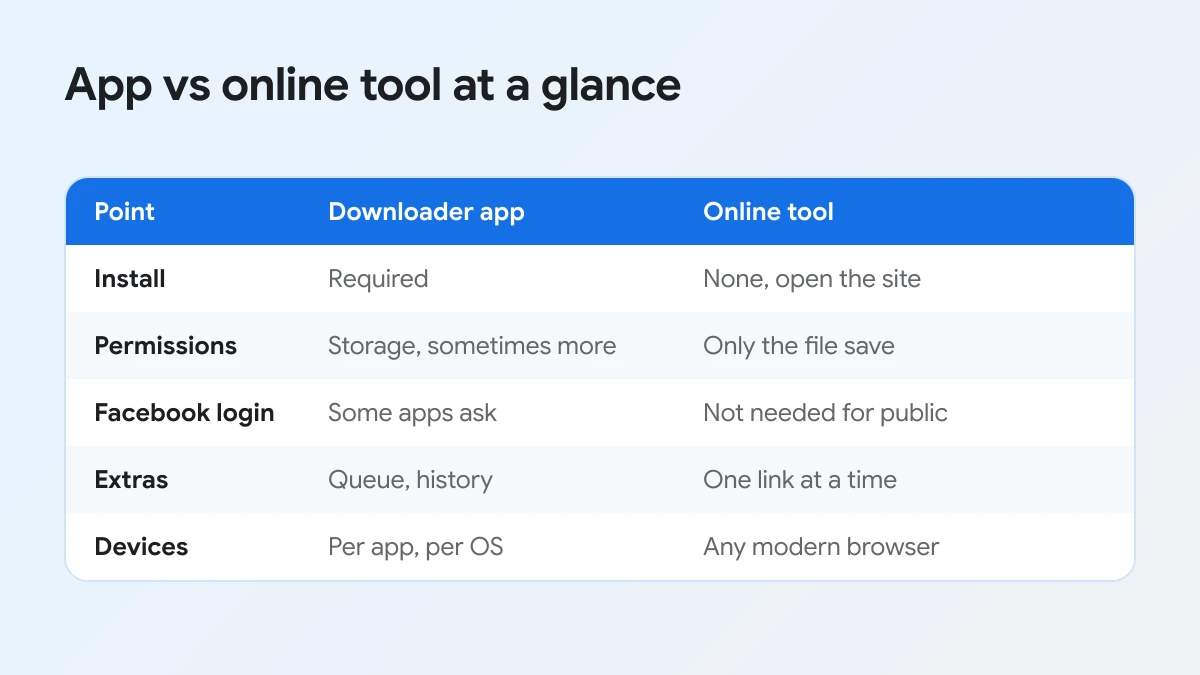
The following table adds the details that do not fit on the picture.
| Point | Downloader app | Online tool |
|---|---|---|
| Setup | Find, install and update the app | Open a web page |
| Storage used | App size plus cache | Only the videos you save |
| Permissions | Storage, sometimes more | The browser's normal download |
| Facebook login | Some apps ask for it | Not needed for public videos |
| Ads and pop ups | Common in free apps | Depends on the site |
| Extras | Queue, history, in-app browser | One link at a time |
| Quality | Limited by the original upload | Limited by the original upload |
| Works on | One platform per app | Any modern browser |
Where an online tool is stronger
The biggest advantage is that nothing new runs on your device. You do not hand an unknown developer access to your storage, you do not type your Facebook password into a third party app, and you have nothing to uninstall later. It also works the same on Android, iPhone, Windows and Mac, which matters if you switch devices. When the site changes or improves, you get the update by reloading the page.
Where an app is stronger
Apps can be faster for heavy users. A queue lets you add several videos and leave them running, a history list helps you find old downloads, and an in-app browser can save you from copying links. Desktop software can also manage large archives and organise folders for you. If you save dozens of clips every day from a computer, those extras can be worth it, as long as the software comes from a developer you trust.
Where they are the same
Quality is the point people most often get wrong. No app or website can create 4K from a 720p upload. Both read the same versions of the video that Facebook keeps, so the sharpest file you can get is the one the uploader posted. Copyright rules are the same too: whichever method you use, save only videos you are allowed to watch and keep them for personal use.
Which option fits your device and habits?
For Android and iPhone users who save a few videos a week, an online tool fits best; on a computer, the browser also covers occasional saving, and only people archiving many videos daily gain much from installed desktop software.
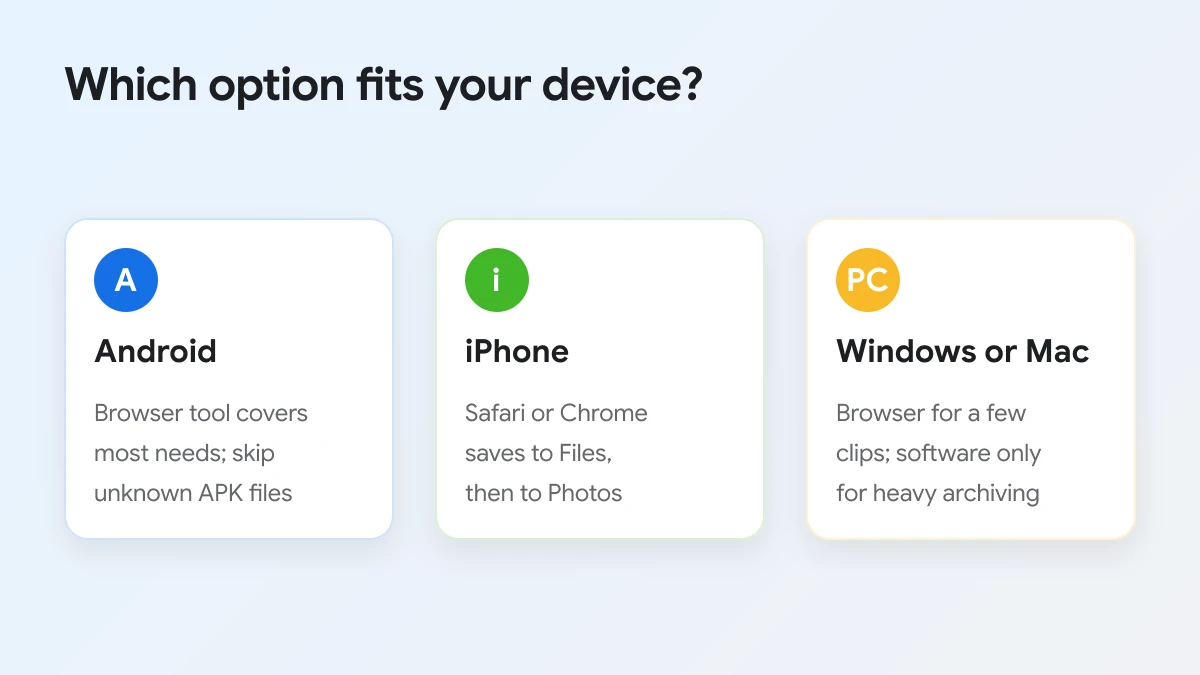
To match the choice to your situation, here is a quick guide per device, followed by the details.
On Android
Android is where downloader apps are most common, and also where the risk is highest, because many of them are distributed as APK files outside Google Play. For normal use, Chrome or any other browser plus an online tool covers everything: copy the link in the Facebook app, paste it, and the MP4 lands in your Downloads folder, which the Files app and most galleries show. If you decide on an app anyway, take it only from Google Play and check the permissions it asks for.
On iPhone
On iPhone, Safari and Chrome are all you need. After you tap a quality, Safari asks to download the file and places it in the Downloads folder of the Files app; from there, Share and Save Video moves it into Photos. If you want every screen of that process, see this guide on downloading Facebook videos on iPhone without an app.
On Windows or Mac
On a computer, the browser route is especially quick, since you can copy the video address straight from the address bar and see every quality row at once. Installed software only becomes useful when you need batch downloads or manage a large personal archive. Before installing any program, download it from the developer's own site, not from a mirror page full of download buttons.
If you save videos every day
Heavy users are the one group that may prefer an app, mainly for queues and history. Even then, a simple habit closes most of the gap: keep the online tool open in a browser tab, paste one link after another, and use the "Download another Facebook video" link under each result to clear the page for the next clip.
How do you download a Facebook video without an app?
You download a Facebook video without an app in 3 steps: copy the video link, paste it into FDownloader.vn and press Download, then tap the quality row you want to save the MP4 or MP3 file.
To start, open the video in the Facebook app or on facebook.com and follow the steps below.
- Copy the link. In the Facebook app, tap Share, then Copy link. On a computer, copy the address from the address bar while the video is open.
- Paste and press Download. Open FDownloader.vn, tap Paste or paste the link into the box, and press Download.
- Pick a quality. Tap Download now on 720P (HD) or 360P (SD) to save at once, or Render & Download on 1080P, 2K or 4K. For those rows, wait for the progress bar to finish, then tap the green Download now button that appears.
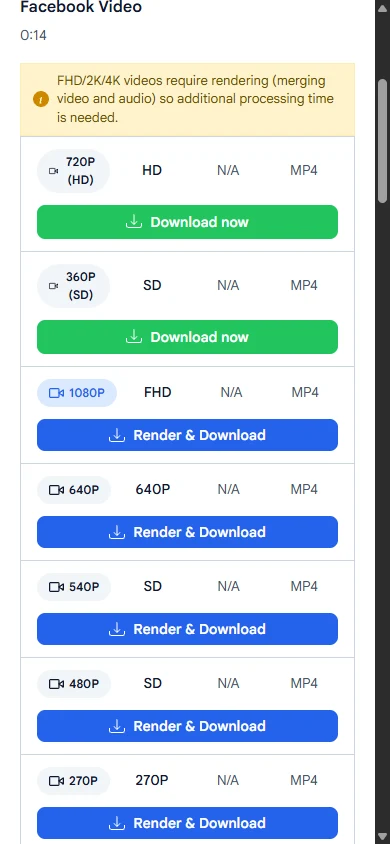
The yellow note at the top of the list explains the two kinds of buttons: "FHD/2K/4K videos require rendering (merging video and audio) so additional processing time is needed." Render rows take a little longer because the server joins the picture and the sound into one MP4 before you save it. For a deeper look at the rows and formats, read about saving the clip as an MP4 in the right quality.
A few tips make the no-app route smoother:
- Use a clean link. If you copied it from a chat, remove any text in front of https:// so the tool does not reply "Invalid link."
- Stay on the page during render. Locking the phone or closing the tab can stop the merge.
- Choose MP3 only for audio. The MP3 rows at the bottom save sound only, which is ideal for songs and talks but will not show up as a video.
For private videos, the normal link box shows a message that points you to a separate page. There you can download private Facebook videos by pasting the page source from a computer whose browser is logged in to an account that can watch the clip. That method works on Windows or Mac only, not on phones, and you never enter your Facebook password on the site.
Is it safe to install a Facebook video downloader APK?
It is risky. An APK from outside Google Play skips the store's review, may carry adware or worse, and often asks for permissions a video tool does not need, so an online tool is the safer choice.
What permissions should make you stop?
A video downloader needs, at most, access to save files. Be wary of any app that asks to read your contacts, SMS messages or call log, to act as an accessibility service, to draw over other apps, or to install other apps. Also stop if it asks for your Facebook email and password inside its own login screen, since that hands your account to the developer. Google Play Help explains that Google Play Protect checks apps from other sources and can warn about, disable or remove harmful ones; if it raises a warning, do not override it.
Is downloading Facebook videos legal?
It depends on the video and how you use it. The uploader owns the copyright, so saving a clip for private offline viewing is very different from posting it again or using it commercially. Download only videos you are allowed to watch, keep them for personal use, and ask the owner before sharing them anywhere else.